Customer Dashboard — Landing Screen
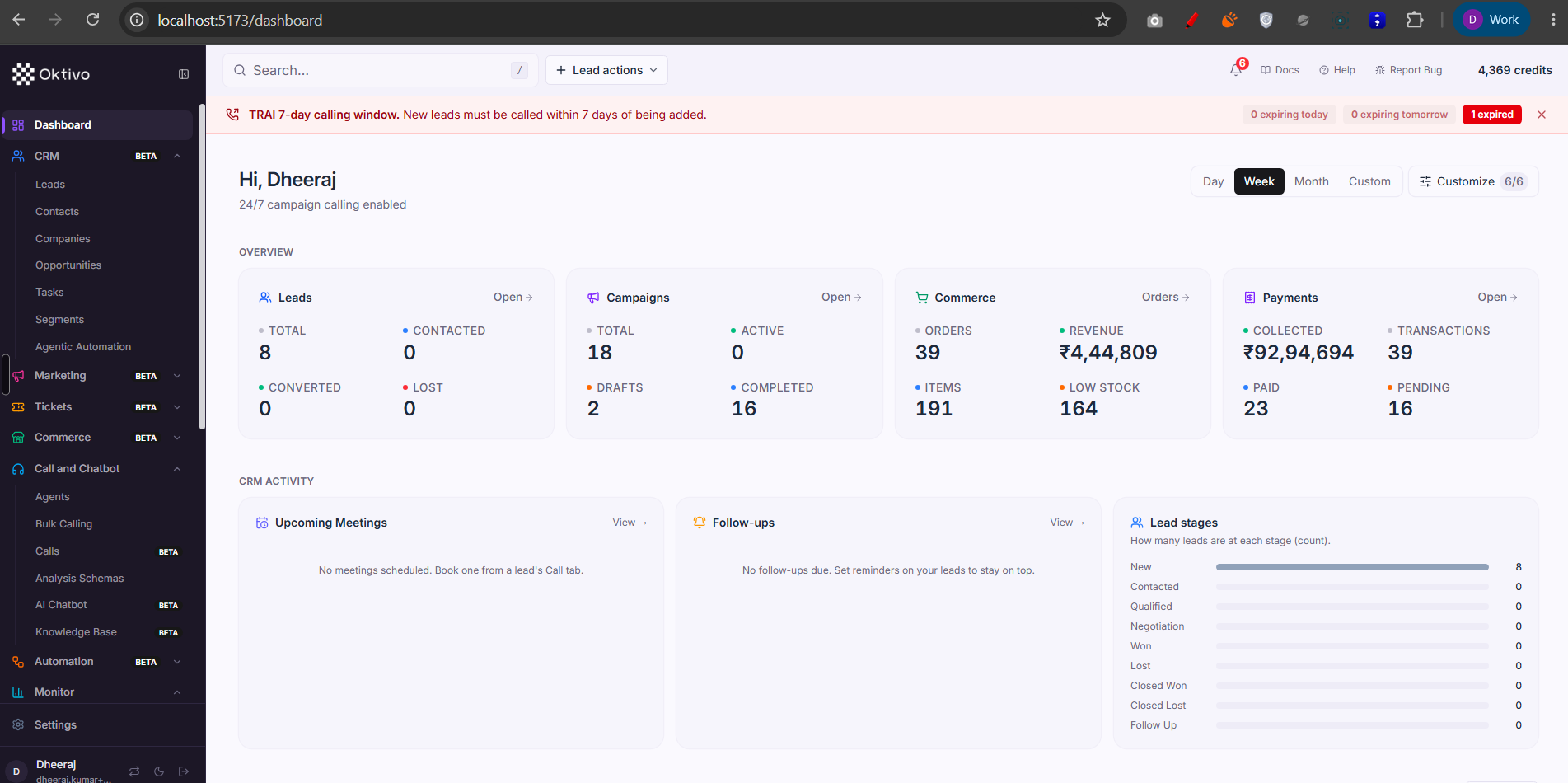
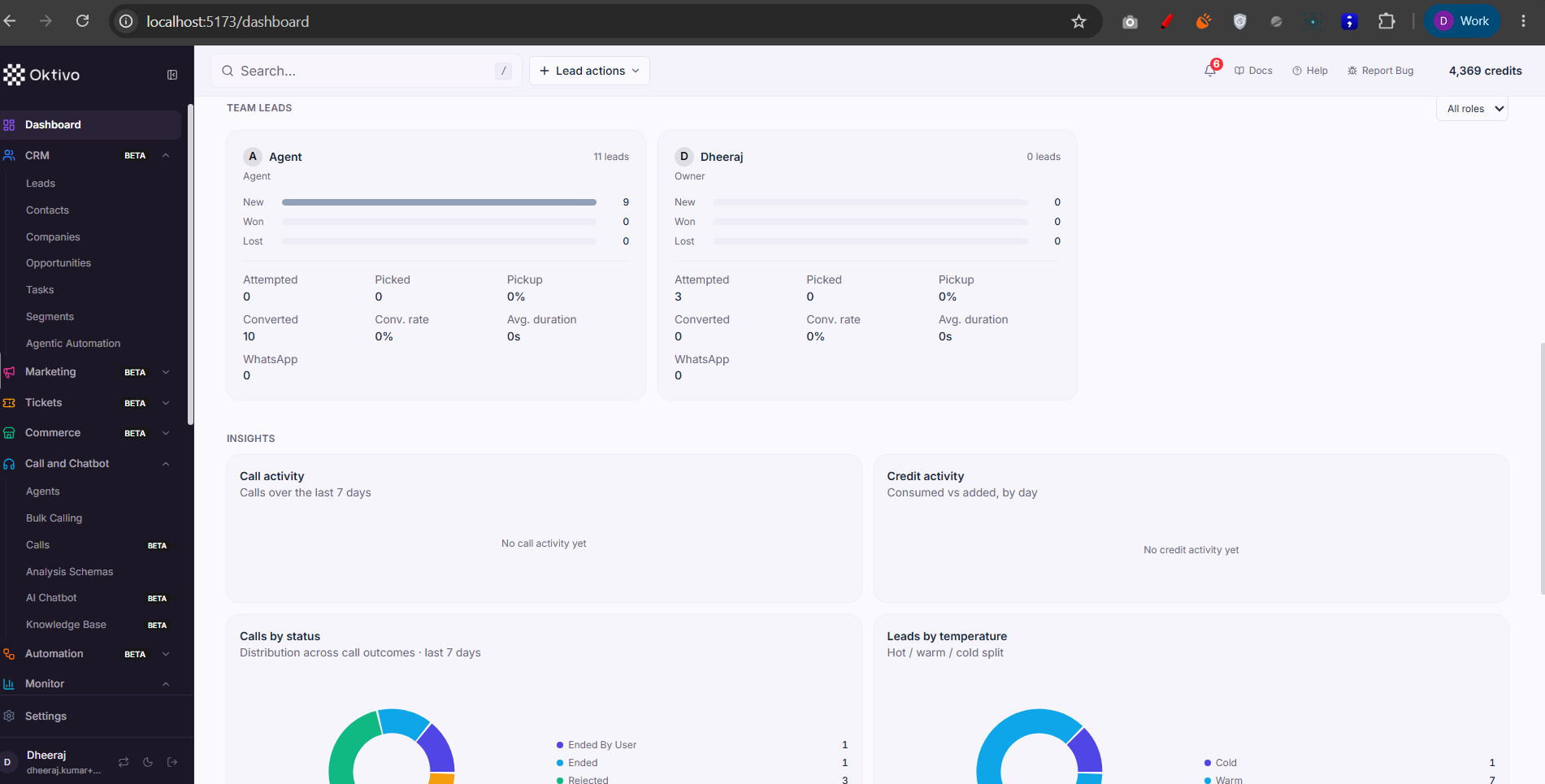
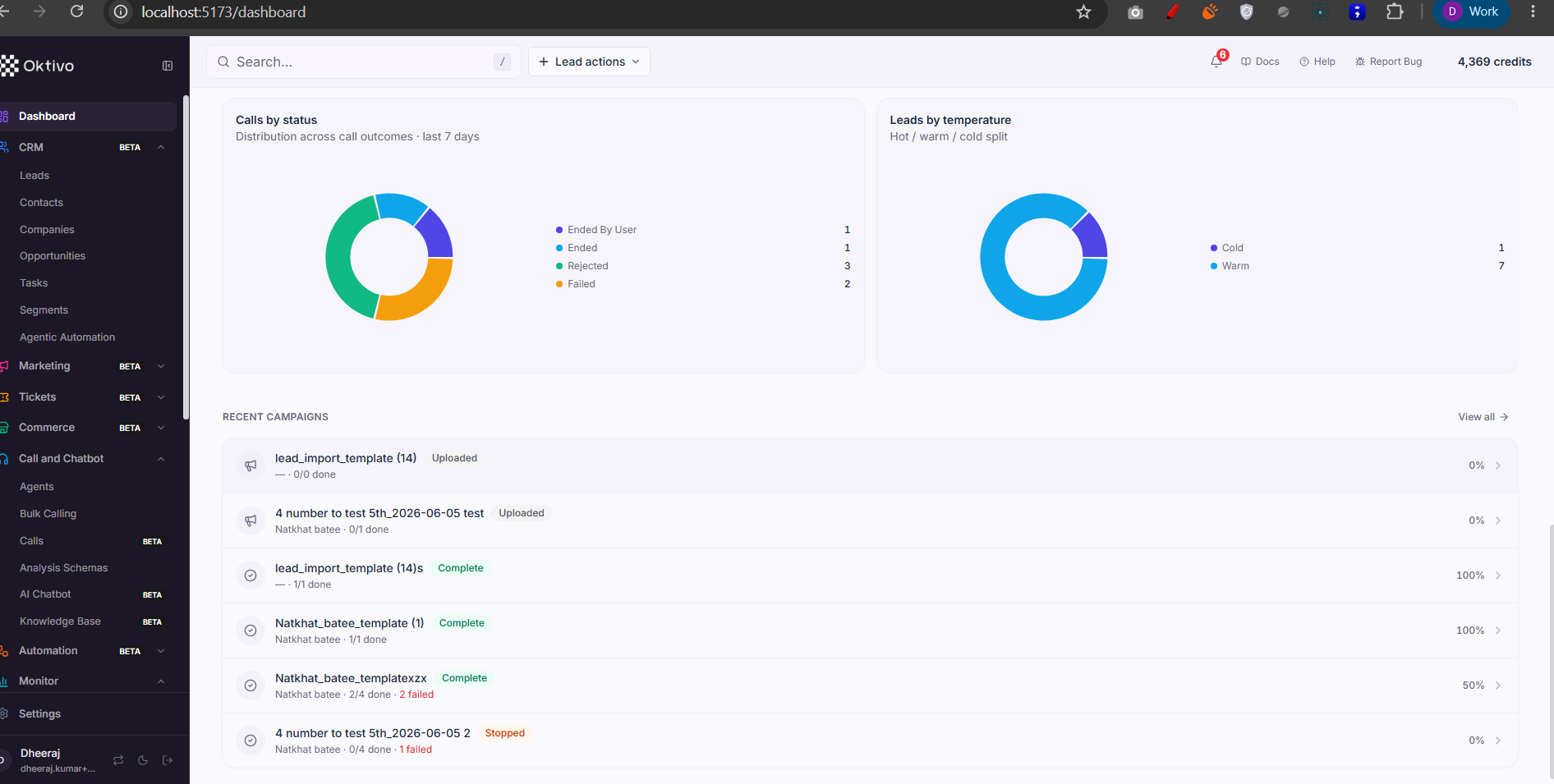
The landing screen at /dashboard is a read-only KPI summary: four overview cards (Leads, Campaigns, Commerce, Payments) plus a CRM Activity row (Upcoming Meetings, Follow-ups, Lead stages). It aggregates data the other sections own so a customer sees the state of their business at a glance.
Screenshots
Architecture Overview
How It Works (Step-by-Step)
- Page load. Opening
/dashboardrenders the greeting ("Hi, {name}") and a date-range switcher (Day / Week / Month / Custom). The range is passed to each card's query so all KPIs share one window. - Overview cards fetch in parallel. Each card calls the stats endpoint owned by its section:
- Leads →
GET /api/leads/stats(totals by status: Total, Contacted, Converted, Lost). Served bycrmLead.controller.getLeadStats→crmLead.service→crmLead.repository→ CrmLead collection. - Campaigns →
GET /dashboard-stats(Total / Active / Drafts / Completed). Served bycampaign.controller.getDashboardStats→campaign.service→ Campaign / CampaignReport. - Commerce →
GET /api/orders/statsand inventory counts (Orders, Revenue, Items, Low stock). Served bycrmOrder.controller.getOrderStatsandcrmInventory→ CrmOrder / CrmInventory. - Payments →
GET /api/transactions/stats(Collected, Transactions, Paid, Pending). Served bycrmTransaction.controller.getTransactionStats→ CrmTransaction.
- Leads →
- CRM Activity row.
- Upcoming Meetings →
GET /meetingsfiltered to future meetings → Meeting records (only shown when themeeting_roomfeature is on). - Follow-ups →
GET /api/reminders/due→ CrmReminder records due for the current user. - Lead stages → stage counts from
GET /api/leads/statsrendered as a mini bar list (New, Contacted, Qualified, Negotiation, Won, Lost, …).
- Upcoming Meetings →
- Compliance banner. A TRAI 7-day calling-window banner (
TraiComplianceBanner) appears above the cards when the customer holdscrm_leads, reminding them to call new leads within the compliant window.
⚠️ Unverified: the exact card→endpoint wiring (which card uses which stats call, and the
Customize 6/6card toggle) is inferred from the screenshot and each section's stats route. The dashboard page component was not read line-by-line; treat the per-card endpoint mapping as indicative.
File Reference
| File | Role | Key Functions |
|---|---|---|
app/src/layouts/CustomerLayout.tsx | Renders the Dashboard nav item (/dashboard) and the TRAI banner | mainNavItems[0], TraiComplianceBanner |
controllers/campaign.controller.ts | Campaign KPIs for the Campaigns card | getDashboardStats() |
controllers/crmLead.controller.ts | Lead totals + stage counts | getLeadStats() |
controllers/crmOrder.controller.ts | Order KPIs | getOrderStats() |
controllers/crmTransaction.controller.ts | Payment KPIs | getTransactionStats() |
controllers/crmReminder.controller.ts | Due follow-ups | listDueReminders() |
routes/meeting.routes.ts | Upcoming meetings | POST/GET /meetings |
Data Model
The dashboard reads (never writes) these collections:
| Card / widget | Collection(s) | Fields read |
|---|---|---|
| Leads | CrmLead | status, createdAt, customerUID |
| Campaigns | Campaign, CampaignReport | status, createdAt |
| Commerce | CrmOrder, CrmInventory | total, status, stock |
| Payments | CrmTransaction | amount, status |
| Upcoming Meetings | Meeting | scheduledAt, participants |
| Follow-ups | CrmReminder | dueAt, userUID |
API Endpoints
Campaign dashboard stats
- Method:
GET - Path:
/dashboard-stats - Auth:
verifyJwt(user-scoped) - Response:
200with campaign totals/active/draft/completed counts.
Lead stats (totals + stages)
- Method:
GET - Path:
/api/leads/stats - Auth:
verifyJwt→requireFeatureAccess(leads)→resolveCrmLeadScope→requireLeadPermission("view") - Response:
200with status and stage counts for the resolved tenant.
Order stats
- Method:
GET - Path:
/api/orders/stats - Auth:
verifyJwt→requireFeatureAccess(commerce)→resolveCommerceScope→requirePermission("commerce","view")
Transaction stats
- Method:
GET - Path:
/api/transactions/stats - Auth: same commerce chain as order stats
Due follow-ups
- Method:
GET - Path:
/api/reminders/due - Auth:
verifyJwt→requireFeatureAccess(leads)→resolveCrmLeadScope→requireLeadPermission("view")
External Integrations
None directly. The Upcoming Meetings widget links into the LiveKit-backed Meeting Room feature; the dashboard only lists the meeting records.
How to Test (End-to-End)
- Log in as a customer with leads, campaigns, and commerce data seeded.
- Open
/dashboard; confirm the four overview cards render with non-error values. - Switch Day/Week/Month and confirm each card re-queries (watch the network tab for the stats calls above).
- Create a reminder due today on a lead → it should appear under Follow-ups.
- Confirm the Lead stages bar counts match
GET /api/leads/stats.
Troubleshooting
| Symptom | Cause | Fix |
|---|---|---|
A card shows 0/empty | No data in that section, or the feature is off | Seed data or enable the section's feature |
| Payments/Commerce cards missing | commerce entitlement off | Enable Commerce for the customer |
| Follow-ups empty though reminders exist | Reminders not due in the selected range, or set by another user | Reminders are per-user and date-scoped |
| TRAI banner won't dismiss | It re-appears while never-called leads are within/over the 7-day window | Call or reassign the at-risk leads |