Customer Dashboard — Commerce
The Commerce section is the connected storefront/catalog layer: Stores, Inventory, Orders, and Transactions. It lets a customer manage a product catalog, track orders, and record payments — often fed by a Shopify connection. Labels are customer-configurable (a school sees "Branches/Courses/Enrollments" instead of "Stores/Inventory/Orders").
Commerce is a single module gate (
FEATURES.COMMERCE). What a team member may do inside is governed by thecommerceRBAC resource (view/create/edit/delete).
Screenshots
Architecture Overview
Every commerce route runs the same four layers (from the crmInventory.routes.ts header): verifyJwt → requireFeatureAccess(commerce) → resolveCommerceScope → requirePermission("commerce", view|create|edit|delete).
How It Works (Step-by-Step)
- Stores (
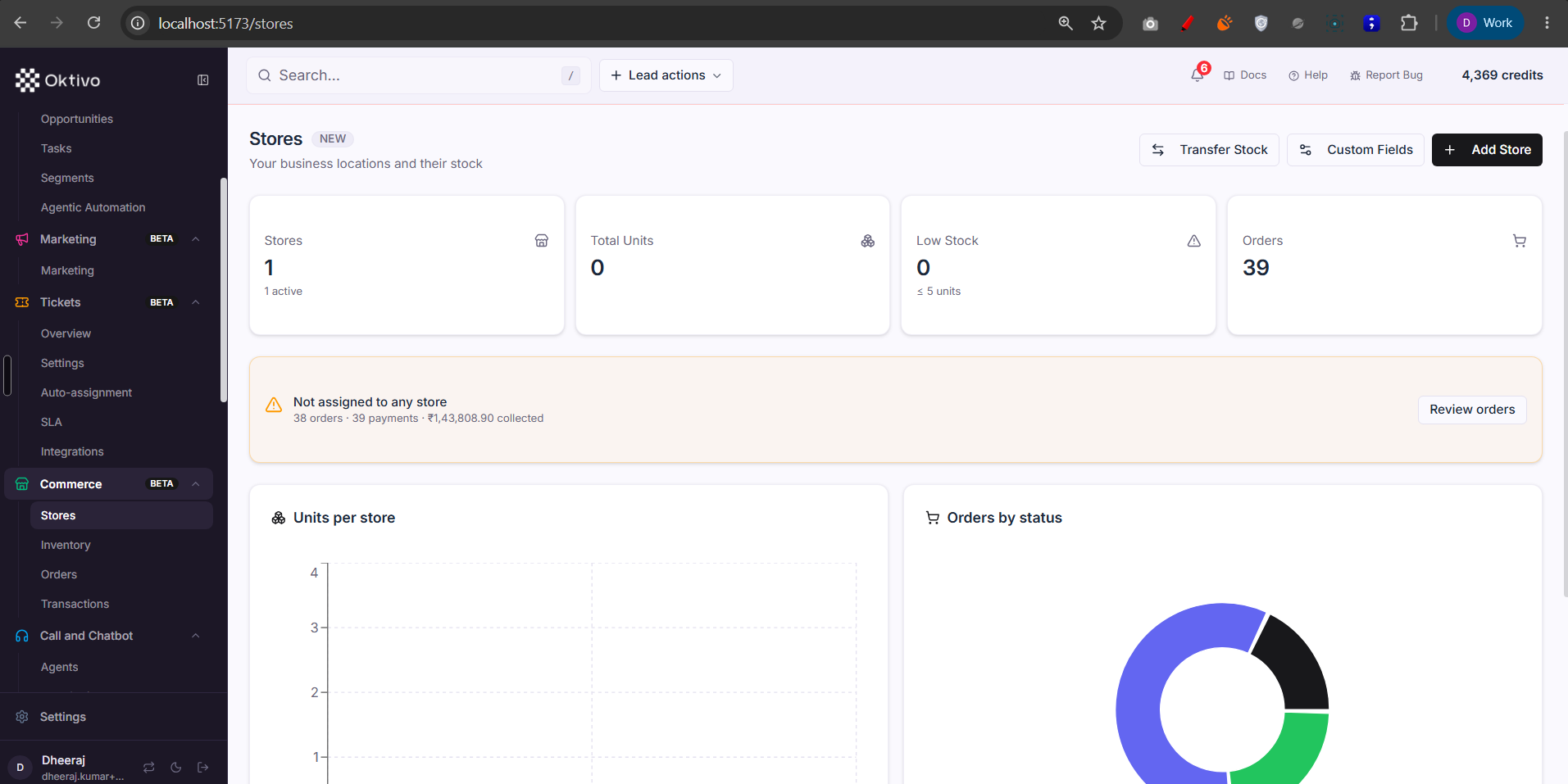
/stores). List + overview + detail, CRUD, and per-store stock (/stores/:id/stock,transferStock). Stores can be assigned orders/transactions (assignOrderToStore). Shared catalog data scoped bycustomerUID— no per-record assignment filter. Managing shared store custom fields is manager-only (requireCommerceManager). Backed by CrmStore + CrmStoreStock. - Inventory (
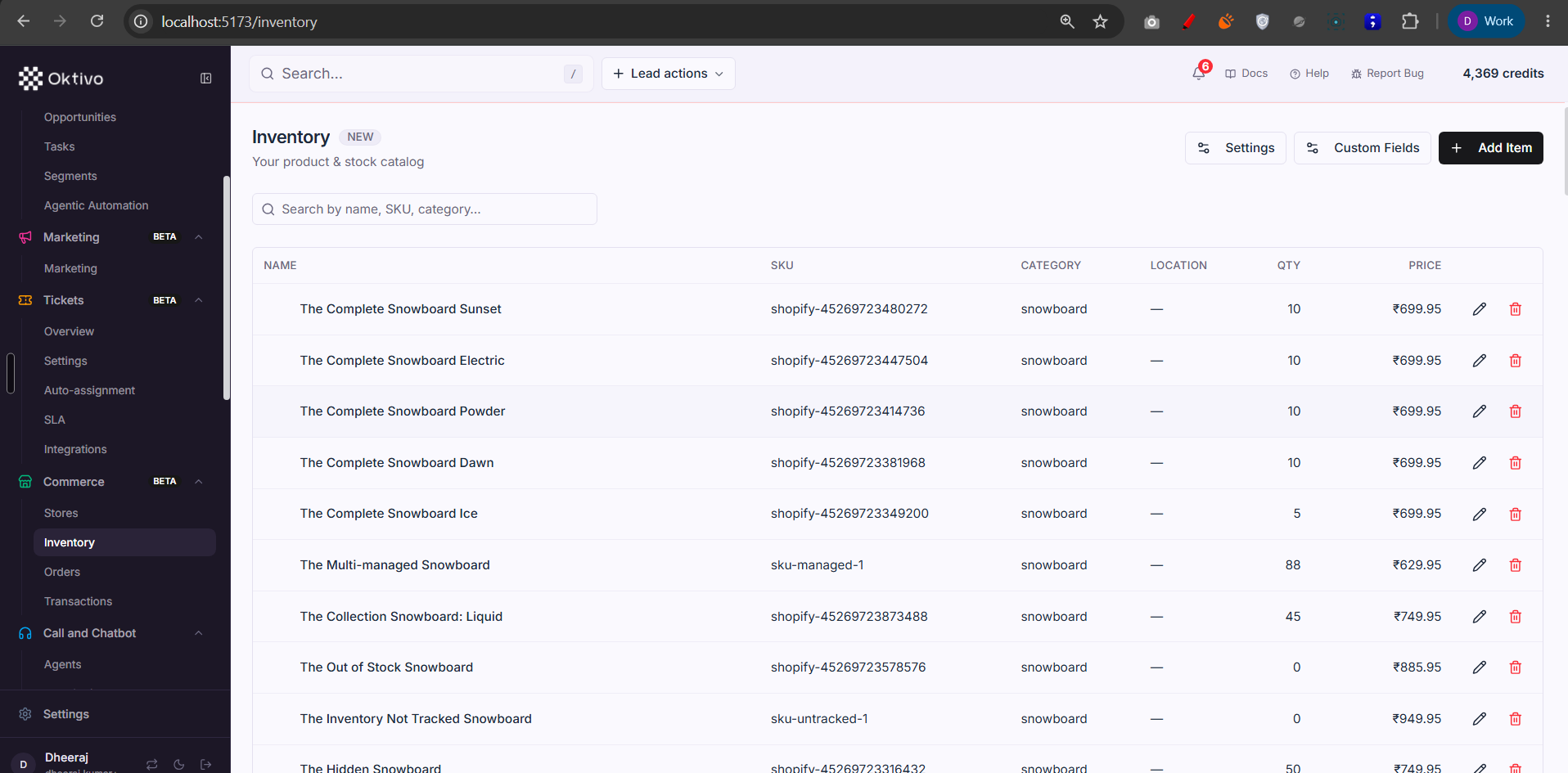
/inventory). The product catalog: list with facets, CRUD items, and custom-field definitions. Shared catalog (no per-record assignment). Backed by CrmInventory. - Orders (
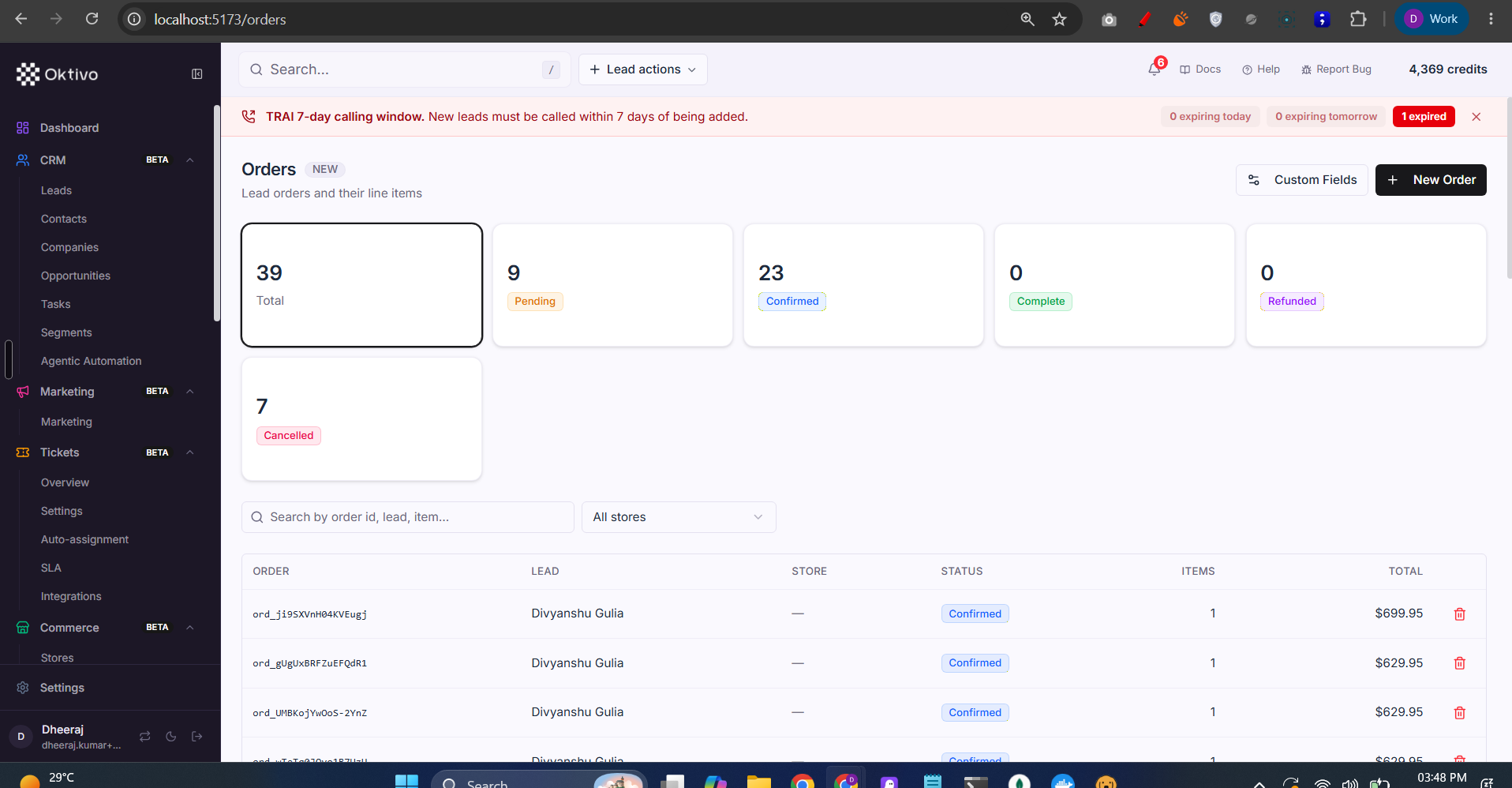
/orders). Order list + stats + CRUD. Orders carry a per-record visibility scope — a team member sees only orders assigned to them (enforced viaforcedAssignedToUIDin the service). Managing order custom fields is manager-only. Backed by CrmOrder. - Transactions (
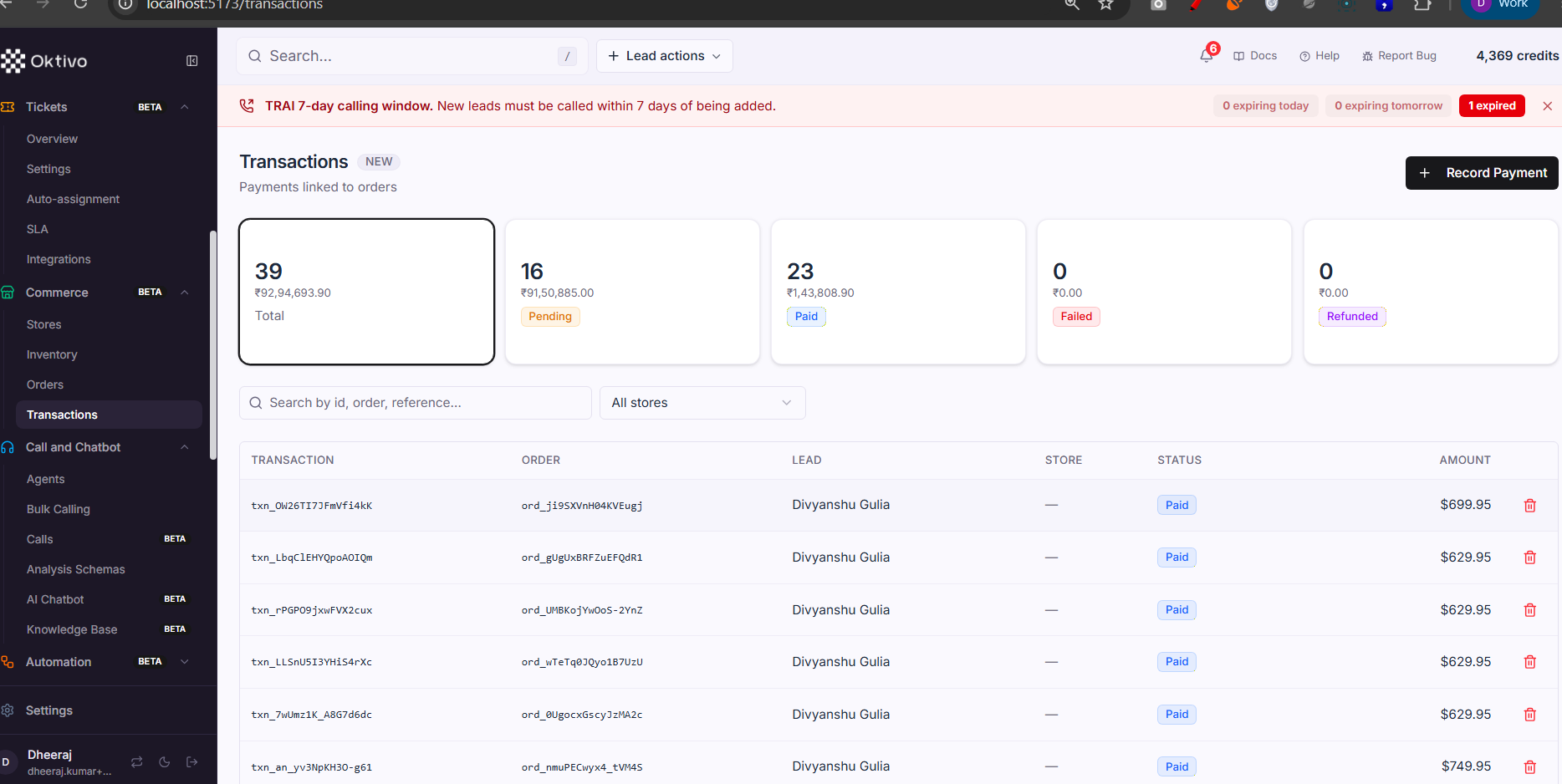
/transactions). Payment records. A transaction's visibility follows its order. List + stats +/by-order/:orderId+ CRUD. Backed by CrmTransaction. - Shopify feed (optional). When the Shopify connector is on, orders/inventory sync in from a connected store (see CRM Commerce and Shopify Order Calls). Settings in CrmCommerceSettings / ShopifyConnectionConfig.
File Reference
| File | Role | Key Functions |
|---|---|---|
routes/crmStore.routes.ts | Stores + stock + assignment + custom fields | listStores, transferStock, assignOrderToStore |
routes/crmInventory.routes.ts | Catalog items + facets + custom fields | listInventory, getInventoryFacets |
routes/crmOrder.routes.ts | Orders + stats + custom fields | listOrders, getOrderStats |
routes/crmTransaction.routes.ts | Payments + by-order lookup | listTransactions, listTransactionsByOrder |
middleware/commerceScope.middleware.ts | Tenant scope + manager check | resolveCommerceScope, requireCommerceManager |
controllers/crmCommerceSettings.controller.ts | Commerce settings + terminology | commerce settings |
Data Model
| Collection | Why it exists | Key fields |
|---|---|---|
CrmStore | A store/branch | customerUID, name, config |
CrmStoreStock | Per-store stock of an inventory item | storeId, inventoryId, qty |
CrmInventory | Catalog item | sku, price, stock, custom fields |
CrmOrder | An order | total, status, assignedToUID |
CrmTransaction | A payment against an order | orderId, amount, status |
CrmCommerceSettings | Terminology + behavior | entity names, order-call rules |
API Endpoints
List inventory (+ facets)
GET /api/inventory/GET /api/inventory/facets· Auth: commerce gate +view.
Create / edit / delete item
POST /api/inventory(create),PATCH /api/inventory/:id(edit),DELETE /api/inventory/:id(delete).
Orders
GET /api/orders,GET /api/orders/stats,POST/PATCH/DELETE /api/orders[/:id](view/create/edit/delete). Custom-field routes are manager-gated.
Transactions
GET /api/transactions,GET /api/transactions/stats,GET /api/transactions/by-order/:orderId,POST/PATCH/DELETE.
Stores + stock
GET /api/stores,GET /api/stores/overview,POST /api/stores/:id/stock,POST /api/stores/transfer(transfer stock). Custom-field routes manager-gated.
External Integrations
- Shopify — two-way sync of orders/products; order-confirmation calls can fire on
orders/create. See Shopify Order Calls. - Payments — transactions may reconcile against the payment system / Razorpay (see Payment System).
How to Test (End-to-End)
- Grant
commerce(+commerceview/create). Open/inventory; add an item. - Create a Store, then set stock for the item in that store; transfer stock to another store.
- Create an Order referencing the item → it appears in
/ordersand incrementsGET /api/orders/stats; the Dashboard Commerce card updates. - Record a Transaction against the order → confirm
/api/transactions/by-order/:orderIdreturns it. - As a team member, confirm you only see orders assigned to you (per-record scope).
Troubleshooting
| Symptom | Cause | Fix |
|---|---|---|
| Commerce hidden | commerce module off | Grant Commerce |
| Labels say Stores/Inventory not my terms | Terminology not set | Configure terms in Commerce settings (CrmCommerceSettings) |
| Team member sees no orders | Orders are per-record scoped | Assign orders to that member, or give manager scope |
| Custom-field edit returns 403 | Managing shared fields is manager-only | Use a commerce manager account |
| Shopify orders not syncing | Connector disconnected | Reconnect in Connecter and Sync now |