Customer Dashboard — Connecter
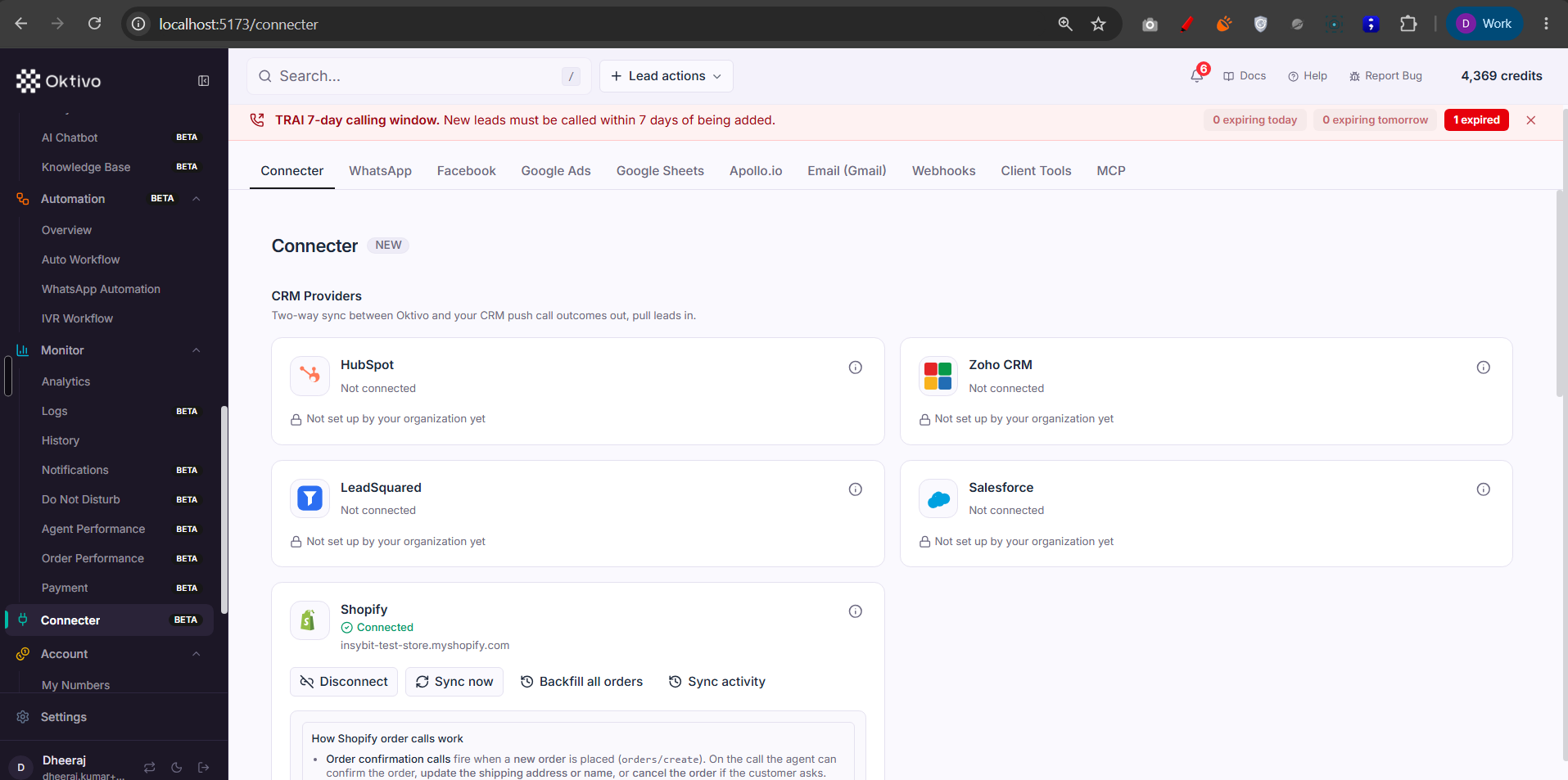
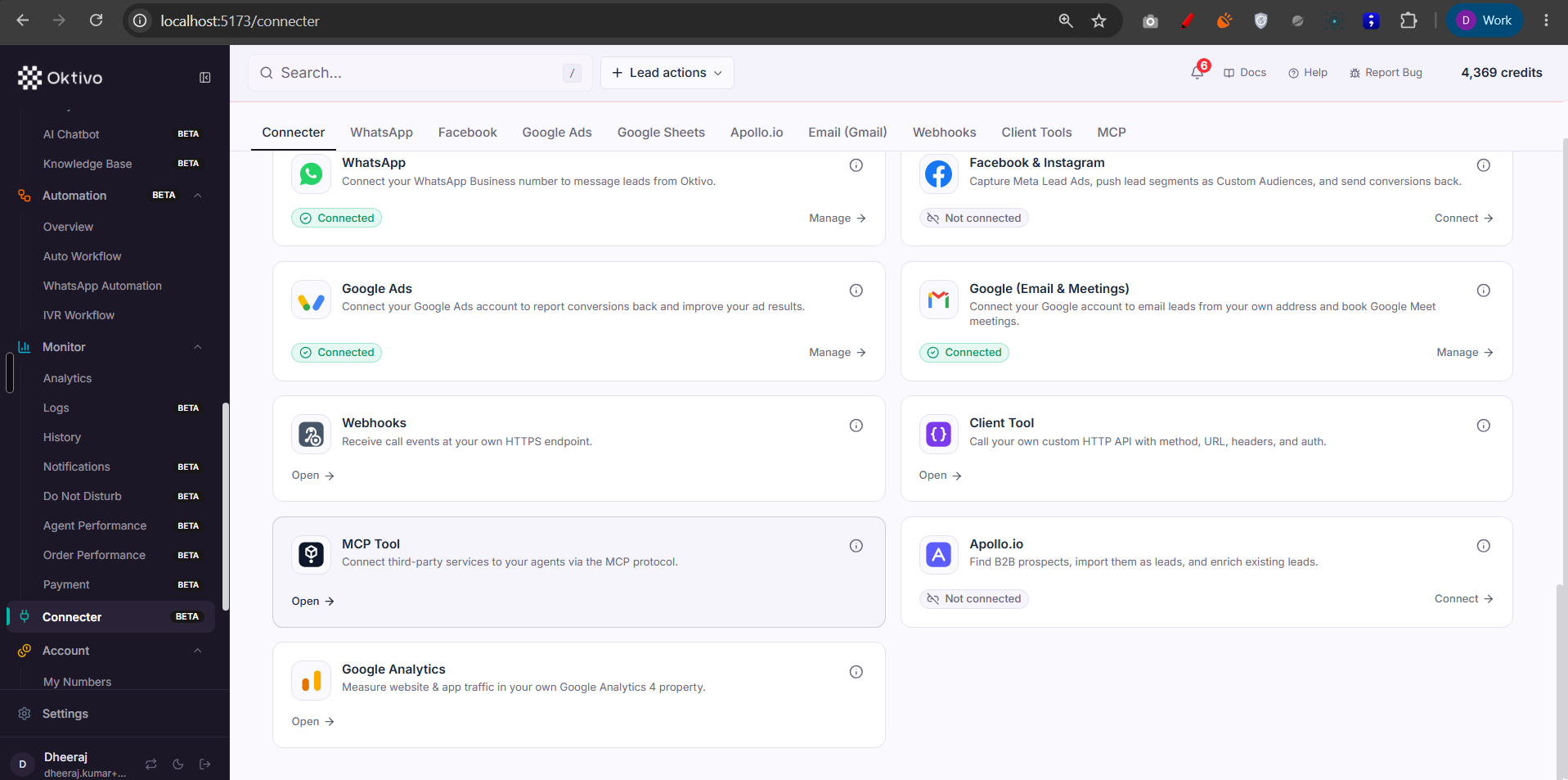
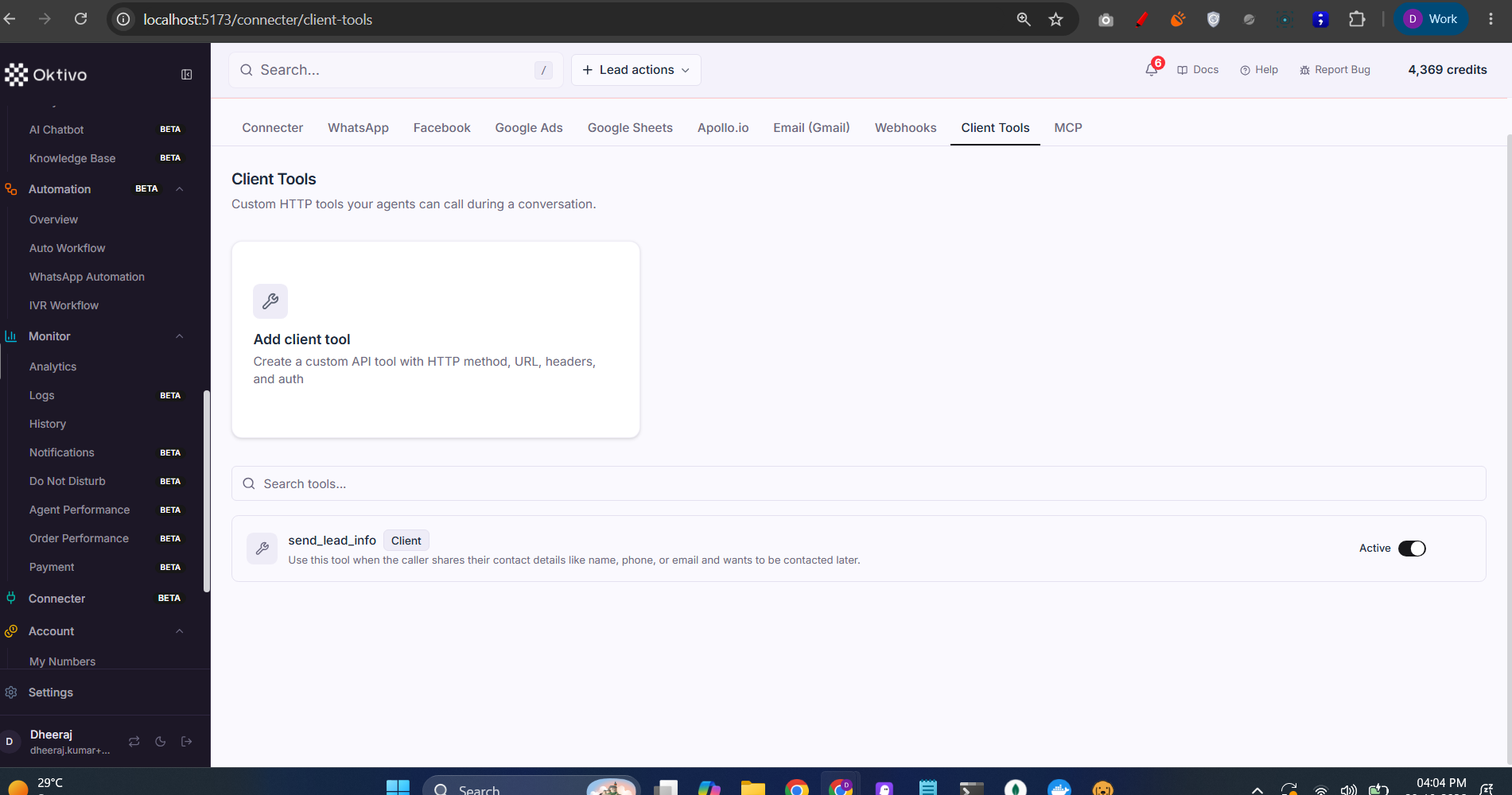
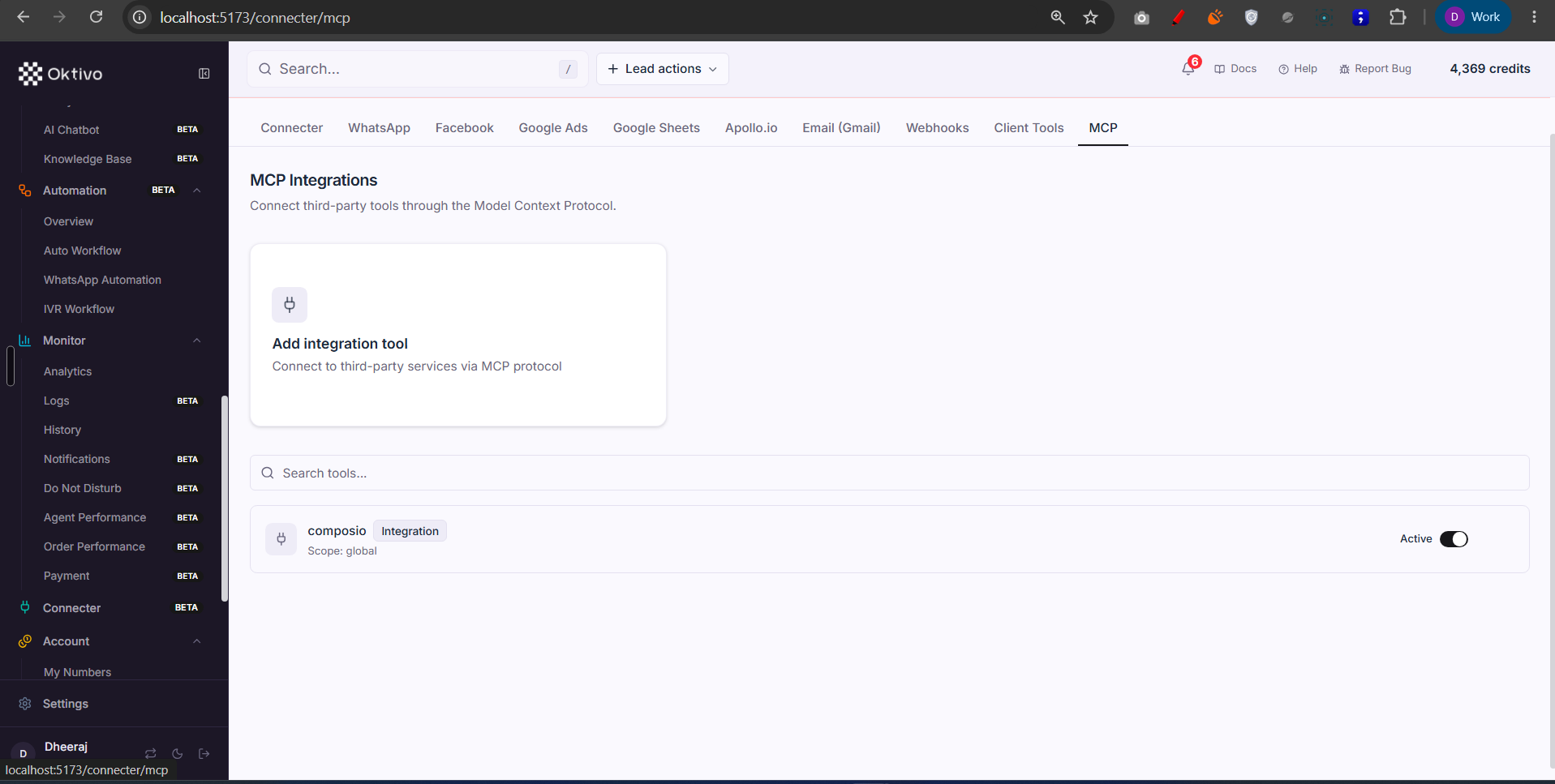
The Connecter (/connecter) is a single tabbed integrations hub. Confirmed from Connecter/1.png, the tabs are: Connecter (external CRM providers), WhatsApp, Facebook, Google Ads, Google Sheets, Apollo.io, Email (Gmail), Webhooks, Client Tools, and MCP. The hub is visible if the customer has any of those features; each tab hides when its feature is off.
Screenshots
Architecture Overview
How It Works (Step-by-Step)
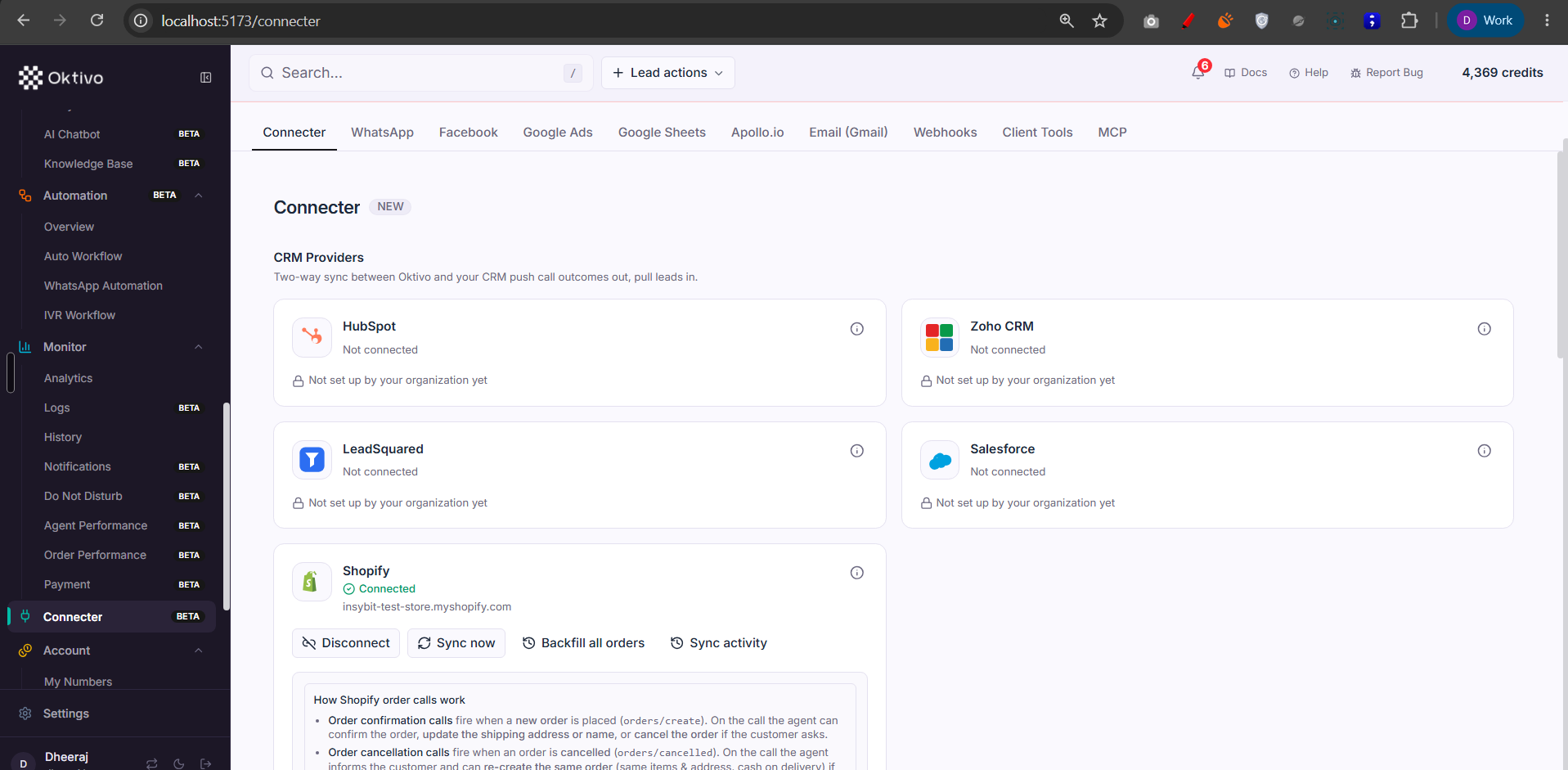
- Connecter (external CRMs). Two-way sync between Oktivo and HubSpot / Zoho / LeadSquared / Salesforce / Shopify. Gated by
crm_connecter(module) +resolveCrmLeadScope; each provider's connect additionally requires the provider feature (crm_connecter.<provider>) viarequireProviderFeature. The OAuth callback is public (the provider redirects the browser with no JWT; identity rides a Redis-stored CSRFstate). Shopify supports token + client-credentials connect, Sync now, Backfill orders. Stored in CrmConnection / CrmProviderConnection / CrmSyncLog (+ ShopifyConnectionConfig). - WhatsApp. Connect/register a WhatsApp number (Meta Cloud API) and manage the workspace. Gated by
whatsapp/whatsapp.manage. Stored in WhatsAppConnection / WhatsAppOrgConfig. - Facebook / Meta. Connect the org's Meta app for Lead Ads + Custom Audiences + Conversions API. Gated by
facebook_meta. Stored in MetaConnection. - Google Ads. Connect a Google Ads account for offline conversions / Lead Form capture (
google_ads). Stored in GoogleAdsConnection / GoogleAdsOrgConfig. - Google Sheets. Configure sheet sync (spreadsheet picker, tabs, headers, discovery, history). Gated by
crm_connecter.googlesheets. Stored in GoogleSheetConfig / CrmSheetSyncRun. - Apollo.io. Search + import prospects, saved searches, enrich leads, add to sequences (
crm_connecter.apollo). Stored in ApolloSavedSearchConfig. - Email (Gmail). Per-user Google email: status, send, sync a lead's replies (
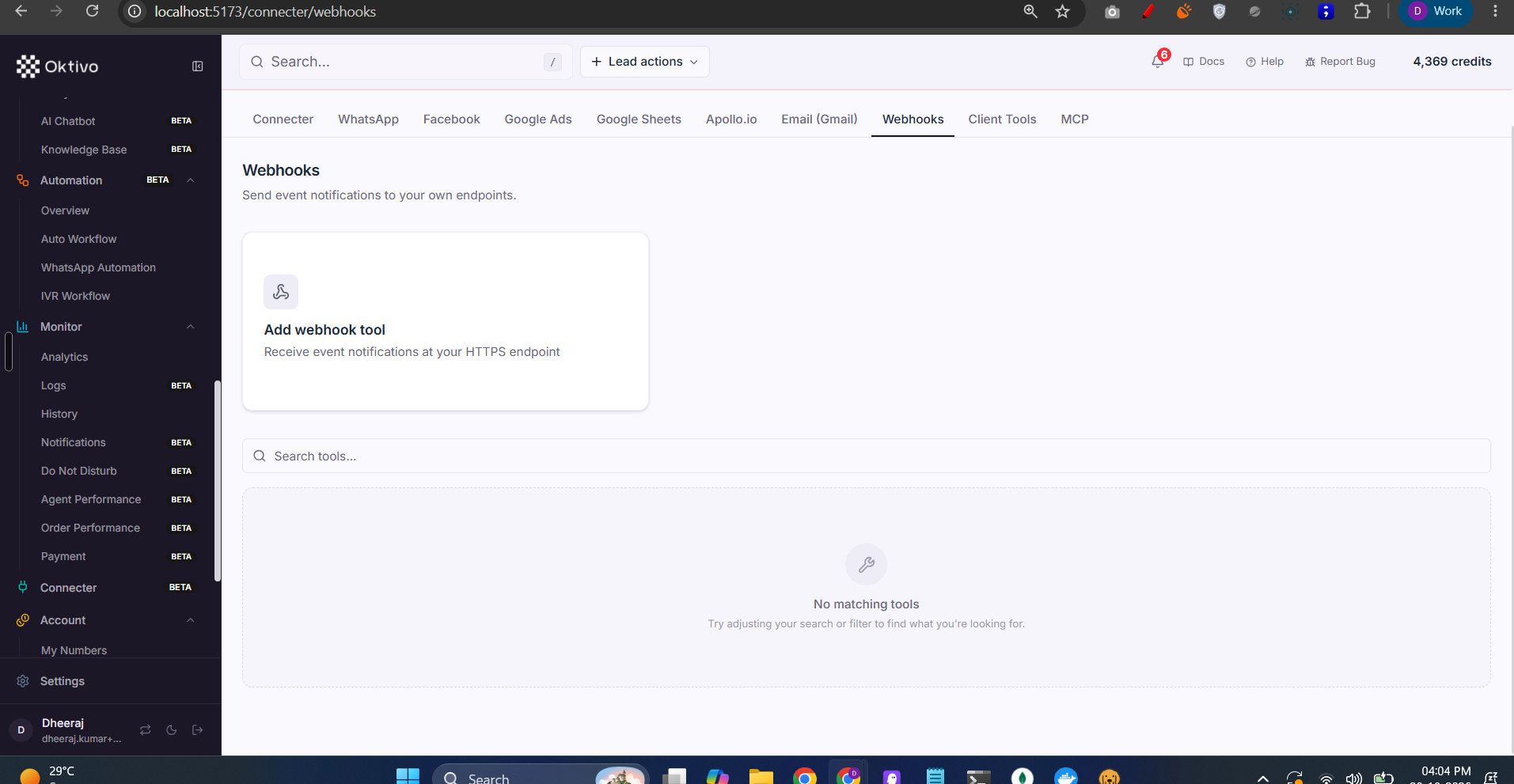
gmail/gmail.manage, depends oncrm_leads). Stored in GmailConnection / GmailOrgConfig. - Webhooks. CRUD outbound webhook endpoints + delivery logs + test delivery + template variables. Gated by
webhooksfeature +toolsRBAC resource. Stored in WebhookEndpoint / WebhookDeliveryLog. - Client Tools (Dynamic Tools). Define HTTP tools the AI can call during a conversation (import from cURL, verify, logs). Gated by
dynamic_tools+toolsresource. Stored in DynamicTool / DynamicToolLog. See API Actions. - MCP. Connect Model Context Protocol tool servers the LLM can call live. Gated by
mcp_integrations+toolsresource. Stored in McpIntegration / McpToolCallLog. See MCP Integration.
File Reference
| File | Role | Key Functions |
|---|---|---|
routes/connecter.routes.ts | External-CRM connect lifecycle + Shopify + Apollo + Sheets | startConnect, oauthCallback, getStatus, shopifySyncNow |
routes/whatsAppConnection.routes.ts | WhatsApp connect/register | — |
routes/metaConnection.routes.ts | Meta app connection | — |
routes/googleAdsConnection.routes.ts | Google Ads OAuth | — |
routes/googleSheetsConfig.routes.ts | Sheet sync config | listConfigsHandler, syncDiscoveryHandler |
routes/gmail.routes.ts | Gmail connect/send/sync | — |
routes/webhook-management.routes.ts | Webhook endpoints + logs | createEndpoint, listDeliveryLogs, testDelivery |
routes/dynamic-tool.routes.ts | Client tools CRUD + logs | createTool, importCurl, listToolLogs |
routes/mcp-integration.routes.ts | MCP integrations + logs | createIntegration, listToolCallLogs |
Data Model
| Collection | Why it exists | Key fields |
|---|---|---|
CrmConnection / CrmProviderConnection / CrmProviderApp | External-CRM connection + org app | provider, tokens, customerUID |
CrmSyncLog / CrmSheetSyncRun | Sync run history | provider, counts, status |
WhatsAppConnection / MetaConnection / GoogleAdsConnection / Ga4Connection / GmailConnection / GoogleSheetConfig | Per-provider connections | tokens, config |
ApolloSavedSearchConfig | Saved Apollo searches | search params |
WebhookEndpoint / WebhookDeliveryLog | Outbound webhooks + deliveries | url, secret, status |
DynamicTool / DynamicToolLog | Client HTTP tools + call logs | schema, request/response |
McpIntegration / McpToolCallLog | MCP servers + call logs | endpoint, tool calls |
API Endpoints
External CRM connect / status / sync
GET /api/v2/connecter/providers,POST .../connect,GET .../status,POST .../disconnect, ShopifyPOST .../shopify/sync-now.- Auth:
verifyJwt→requireFeatureAccess(crm_connecter)→resolveCrmLeadScope(connect alsorequireProviderFeature). - OAuth callback: PUBLIC (CSRF
state).
Webhooks
POST/GET /webhooks/endpoints,POST /webhooks/endpoints/test-delivery,GET /webhooks/template-variables.- Auth:
verifyJwt→requirePermission("tools",...)→requireFeatureAccess(webhooks).
Client Tools
POST/GET /dynamic-tools,POST /dynamic-tools/import/curl,GET /dynamic-tool-logs.- Auth:
verifyJwt→requirePermission("tools",...)→requireFeatureAccess(dynamic_tools).
MCP
GET /api/v2/mcp/catalog,POST/GET /api/v2/mcp/integrations,GET /api/v2/mcp/tool-call-logs.- Auth:
verifyJwt→requirePermission("tools",...)→requireFeatureAccess(mcp_integrations).
External Integrations
All tabs are external integrations. Each provider stores OAuth/API credentials in its connection collection; inbound provider events arrive on public, signature-verified webhook endpoints (e.g. POST /api/v2/connecter/webhooks/:provider). Outbound webhooks deliver platform events to the customer's endpoints and record each attempt in WebhookDeliveryLog (see Webhook Failure Detection).
How to Test (End-to-End)
- Grant
crm_connecter+ a provider (e.g.crm_connecter.shopify). Open/connecter. - Connect Shopify; run Sync now → confirm a
CrmSyncLogentry and orders appearing under Commerce. - On the Webhooks tab, create an endpoint and run test delivery → confirm a
WebhookDeliveryLogentry. - On Client Tools, import a tool from cURL, verify it, then link it to an agent.
- On MCP, add an integration and confirm it appears in the catalog; tool calls log to
McpToolCallLog.
Troubleshooting
| Symptom | Cause | Fix |
|---|---|---|
| Connecter hidden | No integration feature granted | Grant crm_connecter/whatsapp/webhooks/dynamic_tools/mcp_integrations |
| A tab missing | Its feature off | Grant that provider/capability feature |
| "Not set up by your organization yet" on a provider | Org hasn't configured the provider app | Configure the org developer app (needs crm_connecter.manage) |
| OAuth connect fails | CSRF state expired / redirect URI mismatch | Restart connect; verify the provider app redirect URI |
| Webhook deliveries failing | Endpoint down or secret rotated | Check WebhookDeliveryLog; regenerate secret; re-test |