Customer Dashboard — Call and Chatbot
This group is the AI calling + conversational core: Agents (AI/web agent config), Bulk Calling (outbound campaigns), Calls (inbound + call history), Analysis Schemas (what to extract from a call), AI Chatbot, and Knowledge Base.
The deep call mechanics are already documented. This doc maps the UI → API surface and cross-links rather than duplicating: see Campaign Call Flow, Inbound Calling System, Dynamic Agent Config, Analysis Schema System, and Recording Flow.
Screenshots
Architecture Overview
How It Works (Step-by-Step)
- Agents (
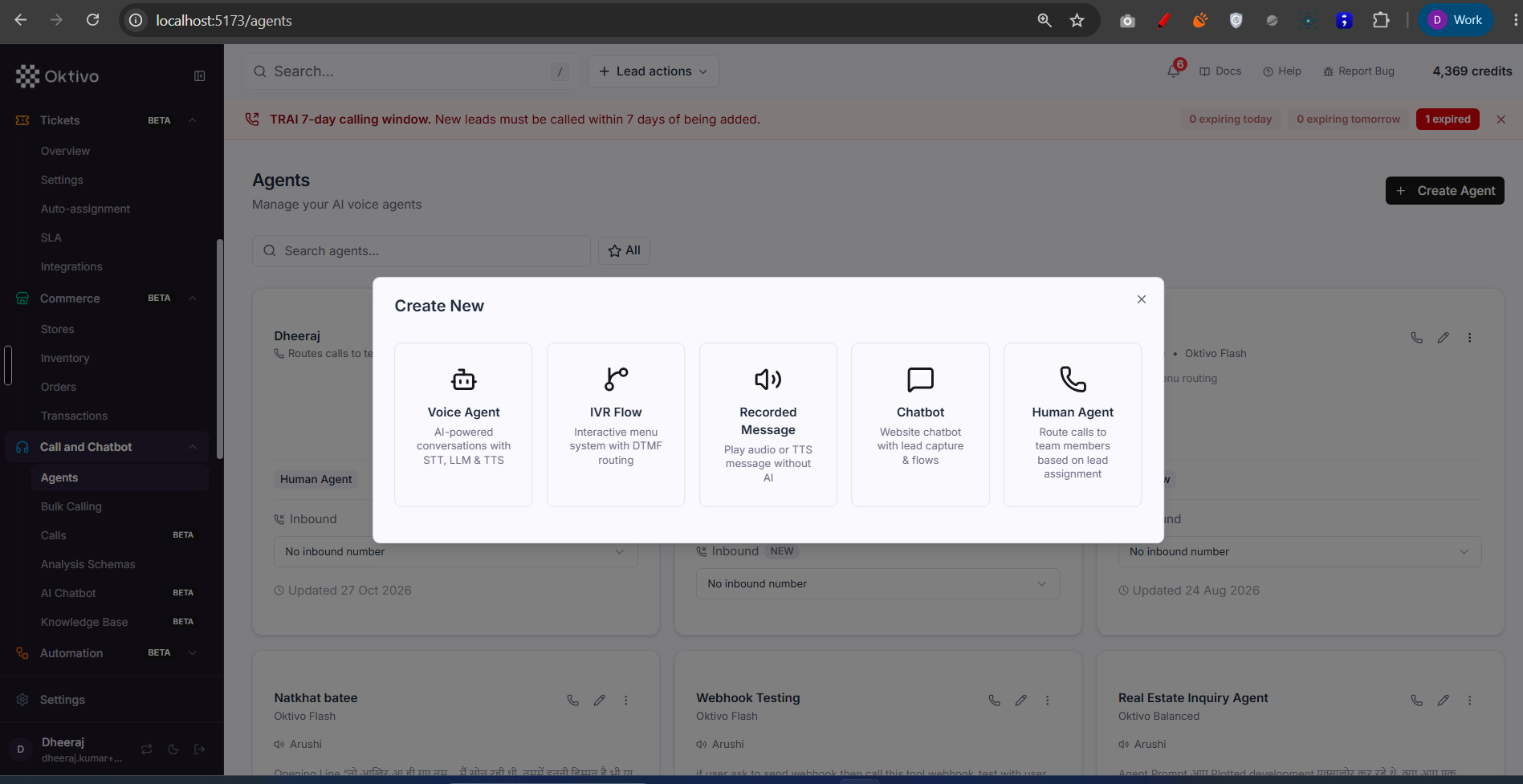
/agents). Create/clone/share AI and web agents, edit prompts (with versioning), enhance prompt via LLM, run Test Call / Test (web), link Dynamic Tools, and upload recorded-message / reference audio. Gated byvoice_campaign+web_agentwith theagentsRBAC resource. Backed by Agent + AgentPromptVersion. - Bulk Calling (
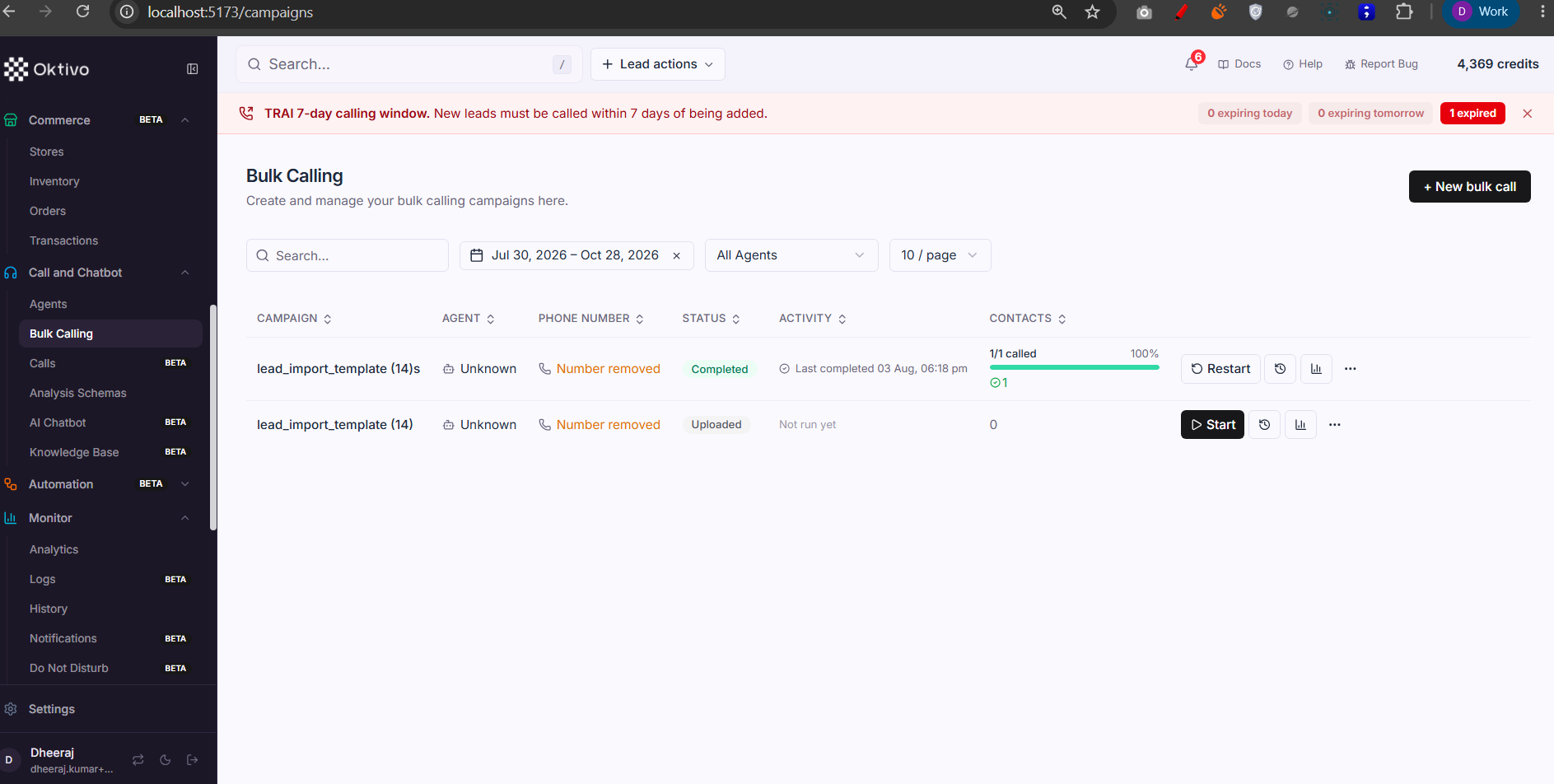
/campaigns). Upload a CSV (/upload-campaign, with preview + AI column-mapping suggestion), or build a campaign from a segment (/create-campaign-from-segment). Start/stop/retry, schedule, and watch live progress via SSE (campaignUpdatesSSE). Gated byvoice_campaign+ thecampaignsresource, with KYC required (requireKycForFeature). Backed by Campaign + CampaignReport. See Campaign Call Flow and Concurrent Calling System. - Calls (
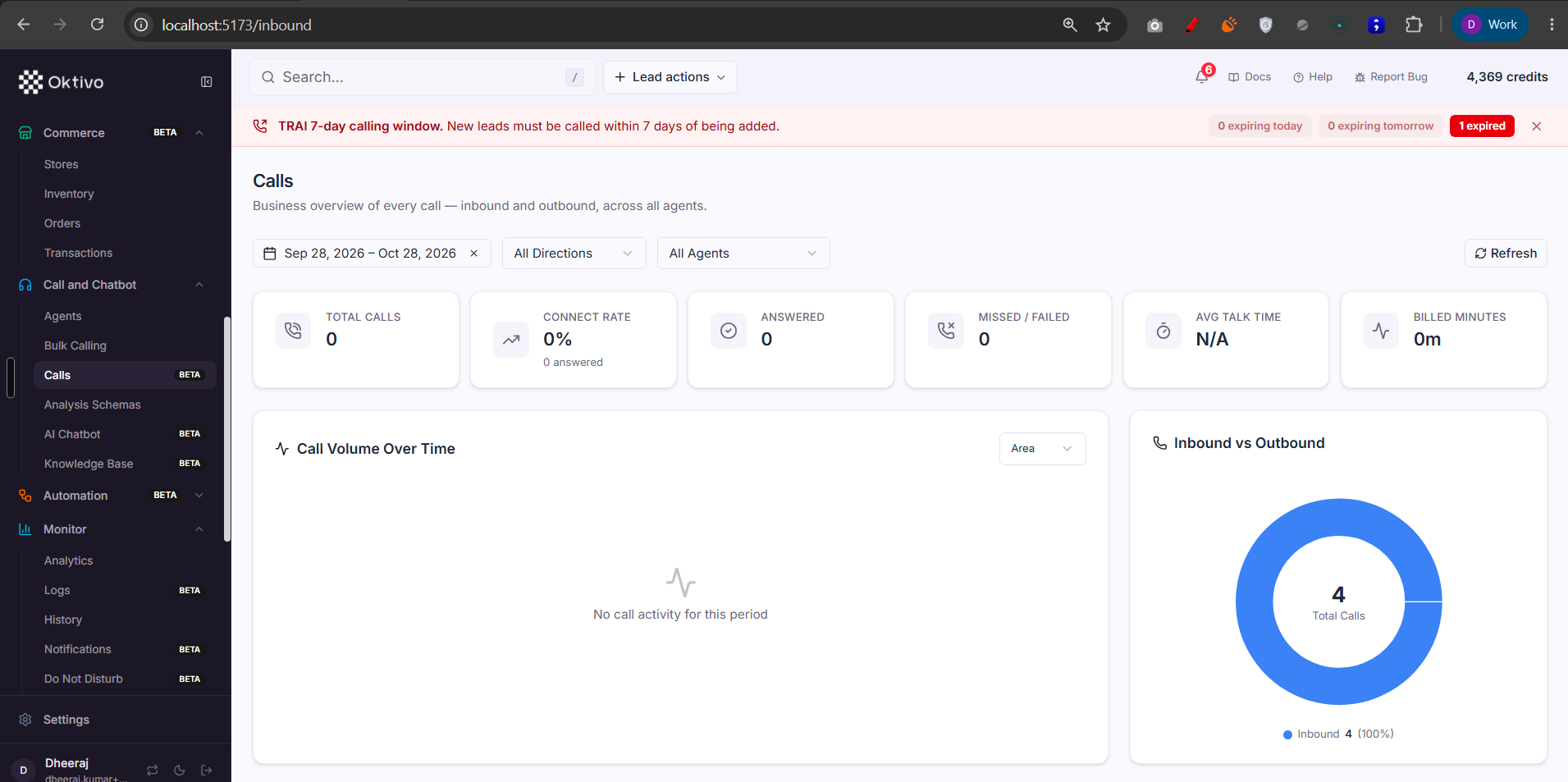
/inbound). Inbound call handling + unified call history/analytics. Inbound IVR config per agent lives ininbound-ivr.routes.ts(GET/PUT/DELETE /api/agents/:agentId/inbound-ivr-config,call_flow_builderfeature). Call history + recordings + per-call analysis come fromcontact.routes.ts. See Inbound Calling System. - Analysis Schemas (
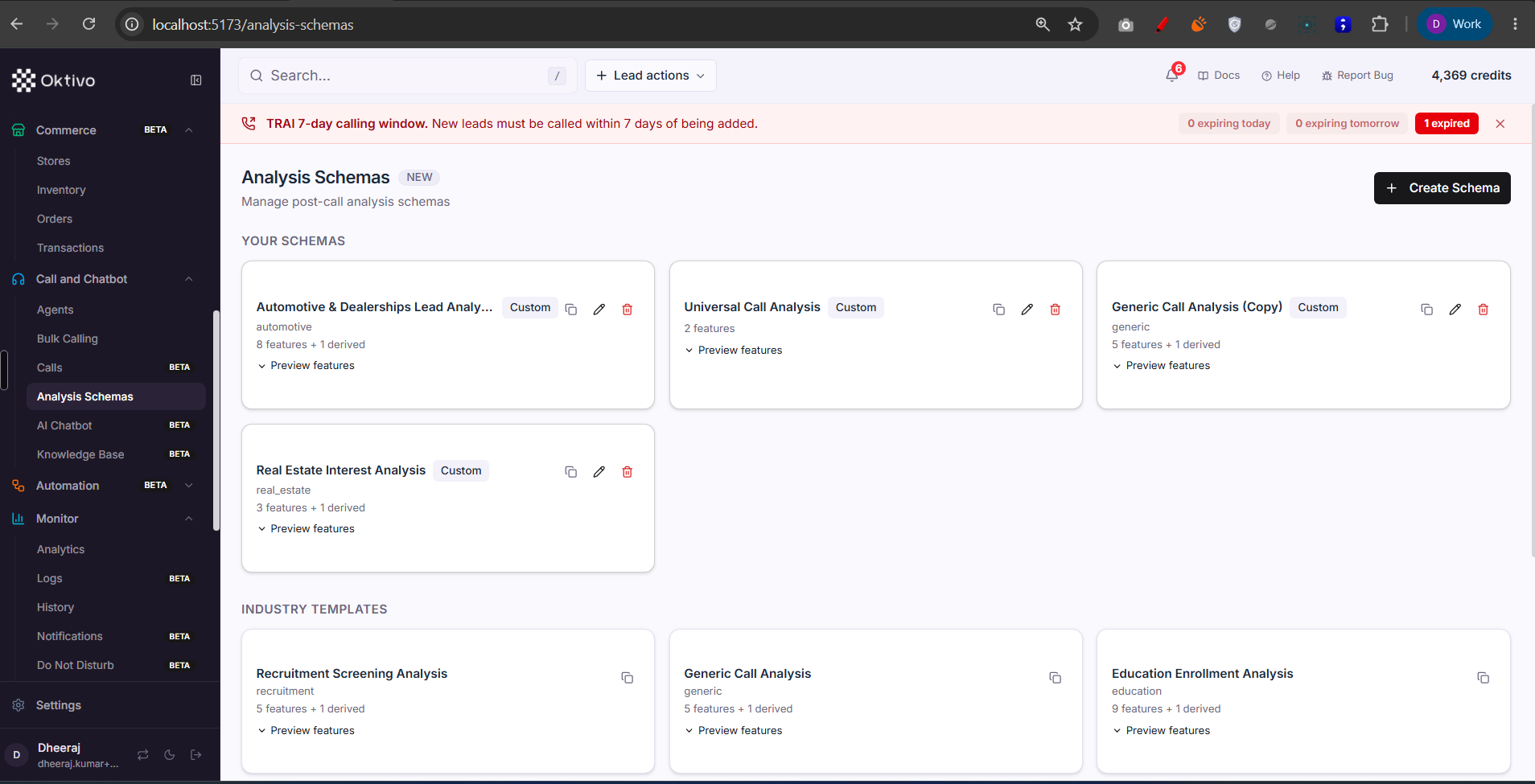
/analysis-schemas). Define the structured fields to extract from each call. CRUD + clone + templates + industries. Gated by theanalysisRBAC resource; featurecall_analysis. Backed by AnalysisSchema. See Analysis Schema System. - AI Chatbot (
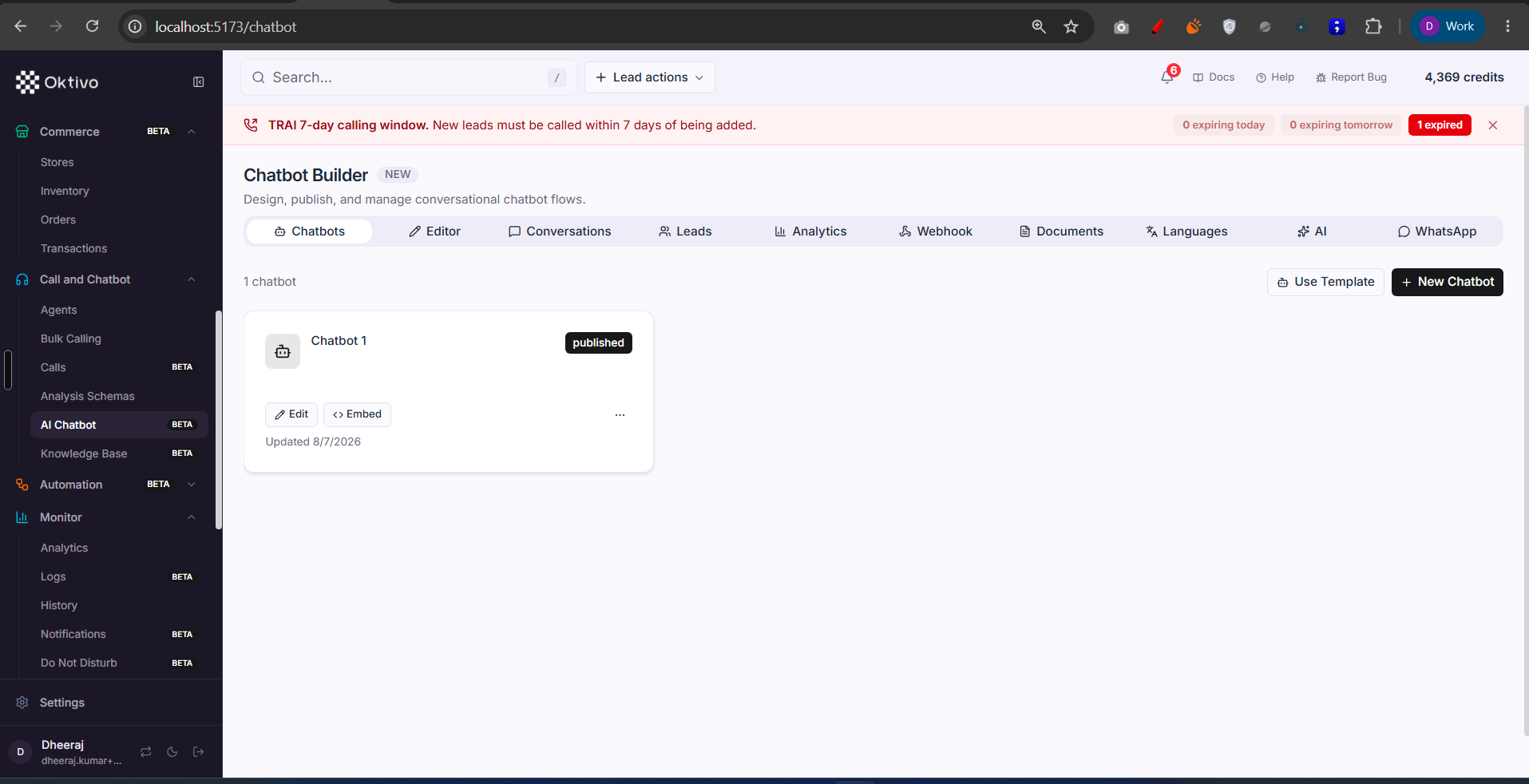
/chatbot). Build a chatbot flow, publish (generates an embed token), and review conversations, captured leads, and flow analytics (drop-off/paths/conversion). Gated bychatbot. Backed by Chatbot + ChatbotConversation + ChatbotLead. - Knowledge Base (
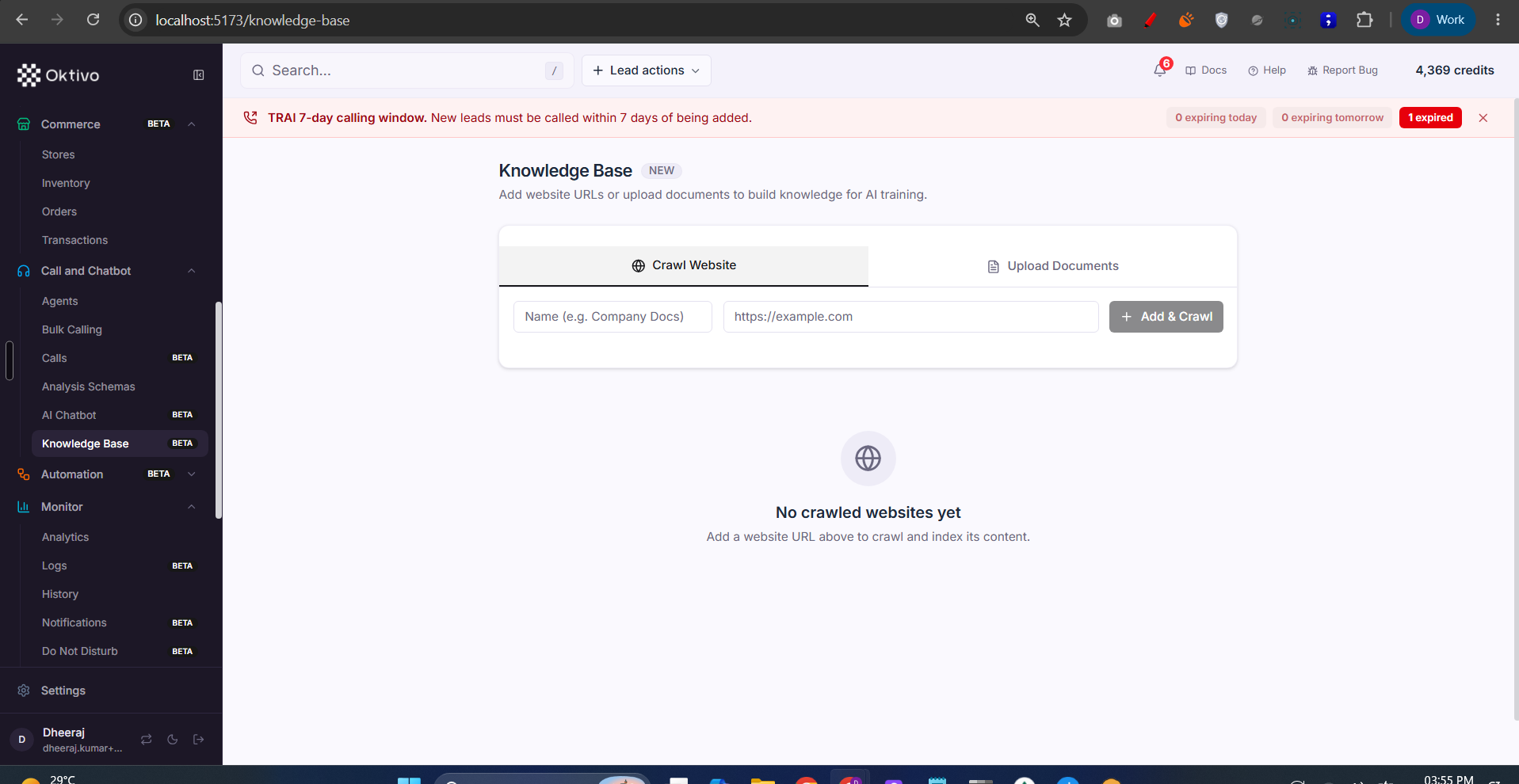
/knowledge-base). Crawl website URLs or upload documents; content is embedded for RAG so agents/chatbots can answer from it. Rate-limited (external HTTP). Gated byknowledge_base. Backed by KnowledgeBase + KnowledgeBasePage.
File Reference
| File | Role | Key Functions |
|---|---|---|
routes/agent.routes.ts | Agent CRUD, test, prompt, tools, audio | createAgent, testAgent, enhancePrompt, linkTool |
routes/campaign.routes.ts | Bulk calling lifecycle + SSE | uploadCampaign, startCampaign, campaignUpdatesSSE |
routes/inbound-ivr.routes.ts | Per-agent inbound IVR config | getInboundIvrConfig, updateInboundIvrConfig |
routes/contact.routes.ts | Call history, recordings, per-call analysis | listContacts, getContactAnalysis |
routes/analysisSchema.routes.ts | Analysis schema CRUD/templates | listSchemas, clone, create |
routes/chatbot.routes.ts | Chatbot CRUD/publish/analytics | createChatbot, publishChatbot, getAnalytics |
routes/knowledge-base.routes.ts | KB crawl/upload + RAG | createKnowledgeBase, queryRAG |
Data Model
| Collection | Why it exists | Key fields |
|---|---|---|
Agent / AgentPromptVersion | AI/web agent config + prompt history | prompt, voice, tools |
Campaign / CampaignReport / CampaignAnalysis | Outbound call run + results | status, contacts, metrics |
Contact | Per-call record (inbound + outbound) | phone, outcome, recording |
AnalysisSchema | Extraction schema | fields, industry |
Chatbot / ChatbotConversation / ChatbotLead | Chatbot flow + chats + leads | flow, embed token |
KnowledgeBase / KnowledgeBasePage | Crawled/uploaded knowledge for RAG | url, content, embeddings |
API Endpoints
Create agent
POST /create-agent· Auth:verifyJwt→requirePermission("agents","create")→requireFeatureAccess(voice_campaign/web_agent).
Upload + start campaign
POST /upload-campaign(campaigns.create+ KYC + feature),POST /start-campaign/:campaignUID(campaigns.edit+ KYC).
Inbound IVR config
GET/PUT/DELETE /api/agents/:agentId/inbound-ivr-config· Auth:verifyJwt→requirePermission("inbound",...)→ (call_flow_builderon writes).
Analysis schemas
GET/POST/PUT/DELETE /api/v2/analysis-schemas[...]· Auth:verifyJwt+requirePermission("analysis", view|create|edit|delete).
Chatbot
POST /api/chatbots,POST /api/chatbots/:id/publish,GET /api/chatbots/:id/analytics· Auth:verifyJwt+requireFeatureAccess(chatbot)+requirePermission("chatbot",...).
Knowledge base
POST /api/knowledge-bases,POST /api/rag/query· Auth:verifyJwt+requireFeatureAccess(knowledge_base)(rate-limited).
External Integrations
- LiveKit — all calling (outbound campaigns, inbound, web agent, test calls) runs through the LiveKit Agent Server. See Campaign Call Flow.
- SIP providers / phone numbers — inbound routing uses provisioned numbers/trunks. See Inbound Calling System.
- STT/LLM/TTS providers — transcription, analysis, and voice synthesis; recording-based transcription uses Sarvam STT.
- RAG / embeddings — Knowledge Base content is embedded for agent/chatbot retrieval.
How to Test (End-to-End)
- Grant
voice_campaign; create an Agent and run a Test Call. - Upload a small CSV campaign (complete KYC first), Start it, and watch live progress via SSE; confirm a
CampaignReportis produced. - Open Calls; confirm the call history and per-call analysis render.
- Create an Analysis Schema and attach it to an agent; confirm extracted fields appear on a call.
- Build and publish a Chatbot; confirm an embed token is generated and a test conversation is logged.
- Create a Knowledge Base from a URL; confirm pages are crawled and a RAG query returns content.
Troubleshooting
| Symptom | Cause | Fix |
|---|---|---|
| Can't start a campaign | KYC not completed, or no credits | Complete KYC; top up credits |
| Agents hidden | voice_campaign/web_agent off | Grant the calling features |
| Inbound config PUT 403 | call_flow_builder feature off | Grant IVR Workflow |
| Analysis empty on calls | No analysis schema attached, or call_analysis off | Attach a schema; grant Call Analysis |
| KB crawl fails/slow | Rate-limited or target site blocks crawler | Retry later; upload documents instead |